A restock email has an unusual advantage: the person asked for it. That means the subject line does not have to persuade anyone to care. It only has to confirm that this is the message they were waiting for and make it easy to open. The forty back in stock email subject lines below are original, grouped by tone, and written to work with the product title token that most restock apps provide. We found no trustworthy public data on which subject lines perform best, so there are no open-rate claims here, only lines and rules you can test on your own list.
How to Use These Lines
Where you see {ProductTitle}, your app fills in the name of the product that restocked. In Griffin, you can use that token in the subject line, and it is replaced for each email. Pick one line as your store-wide default and keep a few situation-specific ones ready for unusual restocks. The detailed email copy that goes with a subject is in our restock email templates, and the principles behind good copy are in our guide to email copy and design that converts.
Plain and Clear (8)
When in doubt, say exactly what happened. These work for any store and any product.
- {ProductTitle} is back in stock
- {ProductTitle} is available again
- It's back: {ProductTitle}
- Good news: {ProductTitle} has returned
- {ProductTitle} is back, as you asked
- Your {ProductTitle} is available now
- We restocked {ProductTitle}
- {ProductTitle}: back in stock and ready to ship
Honest Urgency (7)
Use these only when stock is genuinely limited or time-sensitive.
- {ProductTitle} is back, in limited numbers
- Back in stock, but not for long: {ProductTitle}
- A small batch of {ProductTitle} just arrived
- {ProductTitle} is back. We expect it to sell quickly
- Just restocked: {ProductTitle}
- Limited restock: {ProductTitle}
- {ProductTitle} is back, and so is the waitlist
Personal (6)
These speak to the fact that the shopper asked for this.
- You asked, we restocked: {ProductTitle}
- The one you were waiting for is back
- You signed up for this one: {ProductTitle}
- As promised: {ProductTitle} is back
- We kept our promise: {ProductTitle} is available
- Thanks for waiting. {ProductTitle} is here
Playful (6)
For casual, friendly brands. Keep the product name visible.
- Plot twist: {ProductTitle} is back
- Look who's back: {ProductTitle}
- Guess what just landed: {ProductTitle}
- {ProductTitle} is back, and we missed it too
- Drumroll: {ProductTitle} is available
- Back by popular demand: {ProductTitle}
Calm and Premium (5)
For understated brands where less sounds better.
- {ProductTitle} has returned
- Now available again: {ProductTitle}
- {ProductTitle}, back in our collection
- A quiet return: {ProductTitle}
- {ProductTitle} is available
For Specific Situations (8)
Swap these in for a one-off send, since most apps apply one subject store-wide.
- The size you wanted is back: {ProductTitle}
- Back in stock in time for gifting: {ProductTitle}
- {ProductTitle} is back, with an updated price
- Finally: {ProductTitle} is back after a long wait
- {ProductTitle} is back, and your spot is ready
- Restock alert: {ProductTitle}, your option is in
- {ProductTitle} is back. Here is what changed
- Last time we restocked, it sold out. {ProductTitle} is back
Set your subject line once and it works for every restock. Griffin fills in the product title for each email.
Install Griffin on ShopifyRules That Apply to Every Subject Line
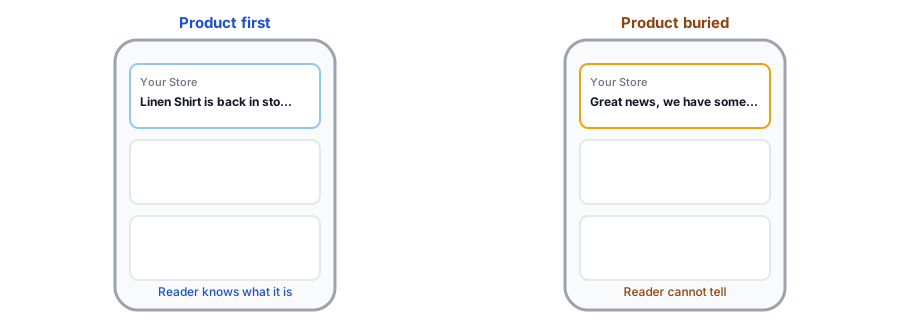
- Lead with the news. The product and the fact that it is back should come first, because phones cut off the rest.
- Watch long product titles. Because the title is inserted automatically, a very long name can crowd out the message. Consider shortening product titles or using a line where the title comes last.
- Be true. Do not say limited if it is not, and do not imply a discount that is not in the email. Our post on discount codes in restock emails covers when an offer makes sense.
- Avoid spammy habits such as all capitals, repeated punctuation and hype words; they hurt trust and can hurt inbox placement, as we explain in why restock emails land in spam.
- Use at most one emoji, if your brand uses them at all.
- Keep the sender name recognizable so the line is read in context.
How to Test Fairly
If you want to know which line works best for your audience, change only the subject, send each version to comparable groups or at comparable times, and compare opens and orders over enough restocks to see a pattern. Restocks differ so much by product that one comparison rarely settles anything. Treat results as guidance, and lean on how to measure restock revenue to judge what actually sold.
FAQ
How long should a back-in-stock subject line be?
Short enough to read in full on a phone, so keep the important words, the product and the news, at the start. Very long product titles can push the useful part out of view.
Should I put the product name in the subject line?
Yes. It confirms the email is about the exact item the shopper asked for, which is the main reason it gets opened. Most restock apps let you insert the product title automatically.
Do emojis help restock subject lines?
They are optional and depend on your brand. One at most can add a little personality, but a plain, clear line usually does the job. Test it on your own list rather than assuming.
Is urgency in a subject line a good idea?
Only when it is true. If units are limited, say so. Pressure that is not real wears out quickly and can push subscribers to unsubscribe or report the email as spam.
The Bottom Line
The best restock subject line is clear, true and starts with the product. Choose a default from the lists above, keep a few special versions ready, and test over several restocks. Griffin is a Shopify back-in-stock app you can install from the Shopify App Store, free to start.