It is a very human request: "Can you hold the next one for me?" A customer sees that an item is sold out, they email or message you and ask to be put first in line. For a small store, saying yes feels like good service. It can also be unfair to the other people who asked to be notified, create inventory confusion and promise something you cannot deliver. How you handle requests to reserve out-of-stock items is a policy decision, and a clear policy is easier than deciding case by case. This post sets out the options, with reply wording. Where we mention Shopify features, such as draft orders, check how they treat inventory in the current documentation, because that behavior matters here.
Option One: Decline Politely and Offer Notify Me
The simplest policy is to say that you cannot hold individual units, and to offer a restock alert instead. The customer gets an email the moment stock returns, with the same chance as everyone else. It is easy to explain, fair and requires no manual tracking. You can soften the no with a clear explanation: "We cannot set aside stock for individual customers, but if you leave your email we will tell you the moment it is back." For many stores this is the best default. Our guide to a fair waitlist for limited units explains how to handle the case where demand exceeds a small restock.
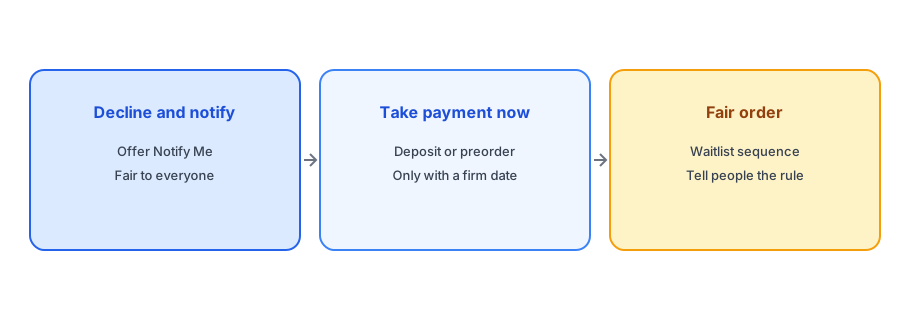
Option Two: Take Payment Now
If you know stock is coming and can give a dependable date, you can sell ahead: a preorder or a deposit lets the customer secure a unit and costs you nothing in fairness, because everyone has the same chance to pay. You need to be clear about the expected date, what happens if it slips and how refunds work. Our posts on back-in-stock alerts versus preorders and backorder messaging cover the wording. Do not use this approach if timing is genuinely uncertain.
Option Three: A Draft Order or Payment Link
Some merchants create a draft order for the customer and send an invoice or payment link, which holds the sale until the customer pays. This can work for custom, high-value or business customers. Be careful about how draft orders affect your inventory counts: depending on how you create and complete them, units may be reserved, not reserved or deducted at different moments, and that changes what restock alerts and your storefront show. Check the current Shopify documentation and test with a low-value item before using it for real holds. A draft order that sits for weeks can also leave stock tied up for a customer who never pays; see our post on phantom stockouts for how held units can distort availability.
A fair, simple answer to hold requests. Griffin emails subscribers of the variant that returned and is free to start.
Install Griffin on ShopifyOption Four: A Defined Order of Access
If you run a waitlist where order matters, such as a limited drop, publish the rule. For example: "Subscribers are notified together, and stock is first come, first served," or "We release in batches in signup order." Whatever the rule, state it plainly and apply it to everyone, including friends and loyal customers. Special treatment for some erodes trust with the rest, and in a small community it will be noticed.
Reply Wording You Can Use
A kind, clear reply helps. Here are three, adapted for different policies. Decline: "Thanks for asking. We cannot hold individual units, but we have a restock alert that will email you the moment it is back." Preorder: "We expect more on March 10. You can reserve one now with a preorder, and we will ship on arrival." Limited drop: "We release restocks to everyone on the list at the same time, so everyone has the same chance." Our replies for "when will it be back in stock?" include more wording for related questions.
Protect Your Inventory Count
Whatever you decide, avoid hold arrangements that live outside Shopify, like a note on a sticky pad. Units that are physically set aside but still counted as available can be sold to someone else, creating an oversell, and units removed from the count by hand can create a phantom stockout. If you must hold stock, adjust the count with a clear reason and a reminder to release it. Our guide to preventing overselling covers the risks.
A Practical Checklist
- Choose one policy for hold requests and apply it to everyone.
- Offer Notify Me as the default answer.
- Use preorders or deposits only with a dependable ship date.
- Check how draft orders treat inventory before relying on them.
- Publish the rule for any limited release.
- Keep holds inside Shopify, with a reason and a release date.
FAQ
Should I reserve a sold-out item for a customer?
Usually not for individuals, since it is unfair to others on the list. Offer a restock alert and, if timing is firm, a preorder.
Can I use a draft order to hold stock?
Possibly, but check how Shopify treats inventory on draft orders in the current documentation and test first.
How do I say no kindly?
Explain that you cannot hold individual units and offer to email them the moment it returns.
What is the risk of off-system holds?
Units set aside but still counted as available can be sold twice, while hand-removed units can cause phantom stockouts.
The Bottom Line
Pick a fair policy, say it kindly and keep the numbers in Shopify honest. Griffin is a Shopify back-in-stock app you can install from the Shopify App Store, free to start.